

Why Microphones Squeal: A Practical Guide to Gain Staging for Live Performances
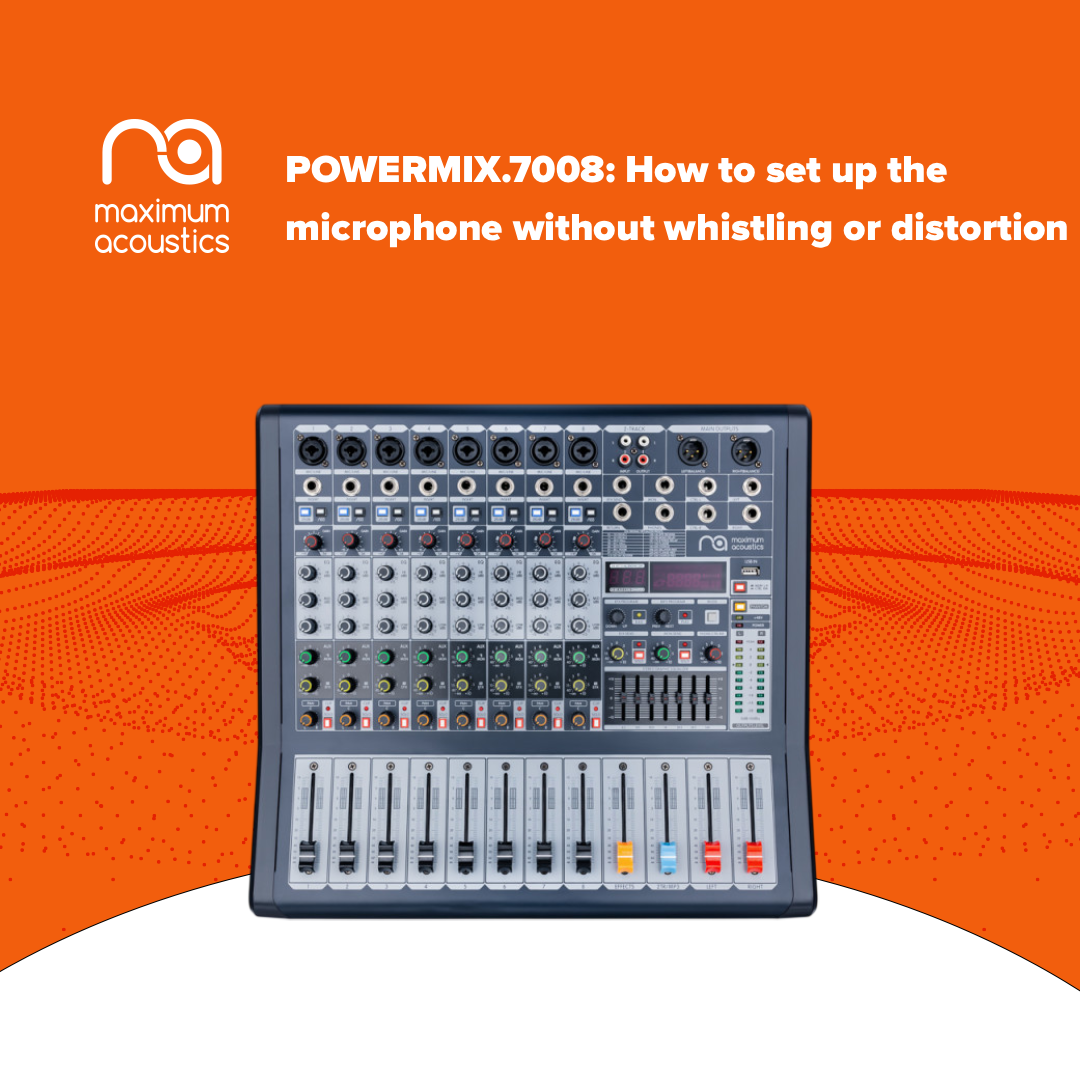
A sharp whistle coming from the speakers during a concert, rehearsal, or live performance is most often a sign of acoustic feedback. This problem can occur even with high-quality equipment if the input sensitivity is set incorrectly, the speakers are poorly positioned, or certain frequencies are excessively boosted. Let’s take a closer look at how feedback occurs, why Gain should not be used as a regular volume control, and how to properly set up a system using the Maximum Acoustics POWERMIX.7008 powered mixer as an example.
Where Does the Whistling Come From? The Physics of Acoustic Feedback
Acoustic feedback occurs when sound from the speakers re-enters the microphone, passes through the amplification chain, and is reproduced by the speaker system again. This creates a closed loop. If the gain at a particular frequency becomes high enough, the signal begins to increase rapidly, resulting in the characteristic whistle or hum heard by the audience.
The risk is especially high in small rooms with hard walls, glass, and other surfaces that strongly reflect sound. Incorrect speaker placement relative to the microphones can make the situation even worse.
A common mistake during live performances is trying to compensate for a quiet vocalist by excessively increasing the Gain. As a result, the microphone signal path becomes more sensitive not only to the vocals but also to ambient sound, including the signal coming from the speakers.
Gain and Level: Why They Are Not the Same Thing
Proper gain staging begins with understanding the purpose of each control. Gain determines the input sensitivity of the microphone preamp, while Level or the channel fader determines how much of the already prepared signal is sent to the overall mix.
The POWERMIX.7008 uses discrete microphone preamps with a gain range from +10 to +60 dB. They support +48 V phantom power, while the specified THD&N is 0.01% at +4 dBu and 1 kHz. A substantial dynamic range helps handle short signal peaks without unwanted overload, provided that the signal path is configured correctly.
For initial calibration, lower the channel level and Master. Ask the vocalist to sing or speak at the maximum volume they are actually expected to use during the performance. Then gradually increase the Gain. The POWERMIX.7008 features Peak indicators on each mono channel, so only occasional flashes of the Peak LED during the loudest peaks should be used as a reference. Once this level has been found, slightly reduce the Gain to leave sufficient Headroom.
You can then set the channel to its operating level and gradually raise the Master to the required volume. The overall signal can be conveniently monitored using the high-precision 10-segment level indicator, helping you avoid constantly operating close to overload.
How to Use the 3-Band EQ to Reduce Feedback
Another useful tool for combating feedback is equalization. A good approach is to follow the Cut over Boost principle: it is generally better to moderately reduce problematic frequencies than to compensate for them by heavily boosting other frequency ranges.
Each POWERMIX.7008 channel features a 3-band equalizer with ±15 dB adjustment. The low-frequency band operates at 80 Hz. For a vocal microphone, a moderate cut of approximately 3–6 dB can help reduce hum, stage vibrations, and the proximity effect. At the same time, this reduces unnecessary low-frequency energy that the amplifier has to reproduce.
The mid-frequency band is centered at 2.5 kHz. If the sound becomes harsh or “metallic” in this area, or if the system becomes unstable, you can try a careful cut of approximately 2–4 dB. The high-frequency band operates at 12 kHz. It is best to begin with the control in its neutral position and avoid boosting high frequencies unnecessarily, especially in rooms with many reflective surfaces.
Effects Also Influence System Stability
The POWERMIX.7008 is equipped with a built-in DSP offering 256 effects. For vocals, reverb and delay can create a greater sense of space, but excessive effects are not always beneficial. In a lively, acoustically untreated room, long Reverb or repeated Delay adds acoustic energy and may make it more difficult to achieve high volume levels before feedback occurs.
For this reason, effects should be adjusted only after basic gain staging and equalization have been completed, starting with minimal effect intensity.
Stage Geometry Is Just as Important as the Settings
Even correctly adjusted Gain will not solve the problem if the main speaker systems are aimed directly at the microphones. Passive top speakers powered by the POWERMIX.7008’s built-in 2×350 W amplifier should preferably be positioned in front of the microphone line and directed toward the audience.
For stage monitoring, it is important to consider the polar pattern of the particular microphone. With a cardioid model, the monitor is generally positioned behind the microphone, where the capsule is least sensitive.
The vocalist’s microphone technique is also important. Covering the microphone grille with a hand changes its acoustic properties and can significantly reduce the system’s resistance to feedback. Therefore, it is better to hold the microphone by its body without covering the capsule.
POWERMIX.7008 as the Center of a Compact Live Sound System
The Maximum Acoustics POWERMIX.7008 combines an eight-channel mixer and a 2×350 W power amplifier in a single device. The mono channels are equipped with gold-plated XLR and balanced Neutrik line connectors, while electronically balanced inputs help preserve signal integrity. The specified frequency response of the microphone and line signal paths ranges from 10 Hz to 60 kHz with a 3 dB deviation, while the signal-to-noise ratio of the Master Mix section reaches 112 dB with the channels set to unity Gain.
The maximum balanced output level is +22 dBu. In addition to traditional mixing capabilities, the model supports MP3, USB, and Bluetooth, expanding its range of applications for rehearsals, small concerts, presentations, and other events.
At the time this material was prepared, the Maximum Acoustics POWERMIX.7008 is priced at UAH 17,380. The model is covered by an official extended 36-month warranty.
Less Gain, More Control
A live sound system’s resistance to feedback depends not on a single control but on the entire signal chain. First, the input sensitivity should be correctly adjusted using the Peak LED, leaving sufficient Headroom. Then the channel balance should be set, the Master level checked, problematic frequencies corrected, and only after that should effects be added.
The POWERMIX.7008 provides the necessary set of tools for this approach: discrete low-noise preamps, individual Peak indication, a 3-band EQ, 10-segment output level monitoring, digital DSP, and a built-in 2×350 W amplifier. Proper use of these features helps achieve clean, controlled sound and increases the available volume before acoustic feedback occurs.
The model combines mixing, signal processing, and amplification functions in a single device and comes with an official 36-month warranty. Follow this link to the Maximum Acoustics POWERMIX.7008 to learn more about the specifications and capabilities of this versatile powered mixer for live performances, rehearsals, and event sound reinforcement.
Leave your comment